
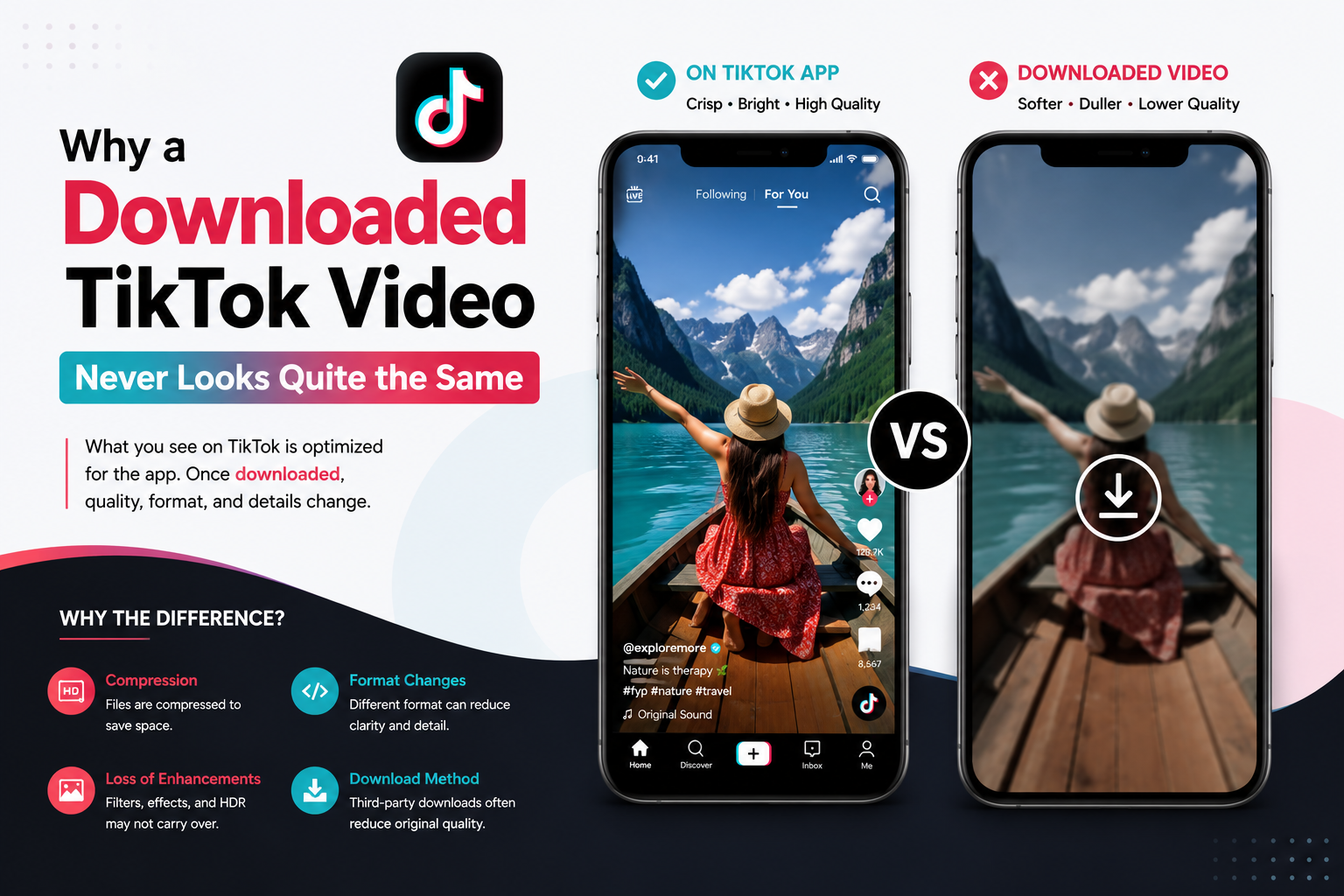
Save a TikTok video and open it later, and something feels off. Colors look a little flatter. There's a small logo bouncing around somewhere on screen that wasn't as noticeable inside the app. It plays fine, sure, but it's not quite the same clip you watched scrolling through your feed a minute ago.
This happens to basically everyone who's ever saved a video off the app, and there's a real explanation for it. Nothing's broken. It's just how TikTok, and honestly most video platforms, handle content once it leaves their own player.
Compression changes more than people realize
Every video on TikTok gets compressed before it ever reaches a phone screen. That's not unique to TikTok, every major platform does this, otherwise videos would take forever to load and eat through data plans in seconds. The tradeoff is quality. Squeeze a file down, and some information just gets thrown away in the process. Simple as that.
Inside the app, TikTok's player is tuned around its own compressed files. The loss barely registers to the average viewer that way. Pull that same video out and drop it somewhere else, a different app, a different screen, a gallery viewer with different scaling, and suddenly those small compression artifacts stand out more. Nothing changed about the video itself. The context around it just changed.
The watermark isn't random either
That little logo people notice on downloaded clips isn't some glitch or leftover branding mistake. It's there on purpose. Baked right into the video during export. A lot of people assume it's just TikTok being pushy about its own branding. There's more going on underneath that, though.
The short version: it's mostly about tracking where a video came from once it's out circulating outside the app. It also gives the original creator some credit if the clip gets reposted somewhere else entirely. For anyone curious about the fuller explanation, TikGrabs has a breakdown of exactly why this happens, going into more of the technical and practical reasoning behind it than most people expect.
Why file size shrinks so much after saving
Another thing people notice right away, a downloaded TikTok video is often a fraction of the size you'd expect for its length. Part of that comes back to compression again, but there's also the resolution TikTok exports at when a video leaves the app. It's not always matching whatever the original upload was shot in.
A video filmed in high resolution on a phone can still get exported at a lower resolution once TikTok processes and compresses it for sharing. That's deliberate, not an accident. File sizes have to stay manageable when videos are constantly getting shared, reposted, and downloaded across a platform that big.
What this means if quality actually matters to you
For casual saving, none of this is a big deal most of the time. A slightly softer video still gets the point across fine. But for anyone repurposing content seriously, a business reposting its own TikToks elsewhere, a creator archiving their work, someone building a portfolio, quality loss adds up fast across dozens of saved clips.
A few things help minimize the drop. Downloading directly from the source rather than a screen recording avoids stacking one round of compression on top of another. Checking whether a saving tool offers different quality options matters too, since not all of them export at the same resolution by default. And keeping expectations realistic helps as well, a downloaded version will basically never look identical to what played inside the app itself, that's just the nature of how compression and export settings work together.
The bigger takeaway
None of this is TikTok cutting corners out of laziness. Compression keeps the app fast and usable for over a billion people. The watermark protects where credit is due. Lower resolution exports keep file sizes from spiraling out of control. Every one of these small quality tradeoffs exists for a reason, even if that reason isn't obvious the first time you notice your downloaded video looking a little different than you remembered.